
Optimize your DAM workflows for faster content delivery
You already have a Digital Asset Management (DAM) system . The question is not whether it works, but how much faster and smarter you can deliver content with it. In many marketing and content teams, the foundation is now solid, while there is still much to be gained in terms of workflows and integrations.
From DAM implementation to acceleration
Most Comrads customers have successfully implemented their DAM. Files are stored centrally, versions are under control, and finding files is faster than ever. Yet content production often still feels slow: briefings are sent via email, approvals get stuck in inboxes, and distributing drafts or first versions still requires a lot of manual work. This is usually not due to the platform, but to processes that are not yet fully embedded in your DAM.
Do you see DAM as a content engine?
Therefore, consider DAM not only as an archive or storage silo for final versions, but as the engine of your content workflow. The better your steps, roles, and tools align with this, the more value you will get from the same environment, without additional tools or larger teams.
Your DAM is good, your workflow could be better
In practice, we see the same patterns recurring among existing customers. Creative teams are already working in the DAM, but task routing and approvals still take place outside the system. Statuses are used, but not consistently, and no one knows exactly where a campaign visual is in the flow. Local teams and agencies find assets, but lack context: what is the latest version, what has already been approved, what is still just a concept?
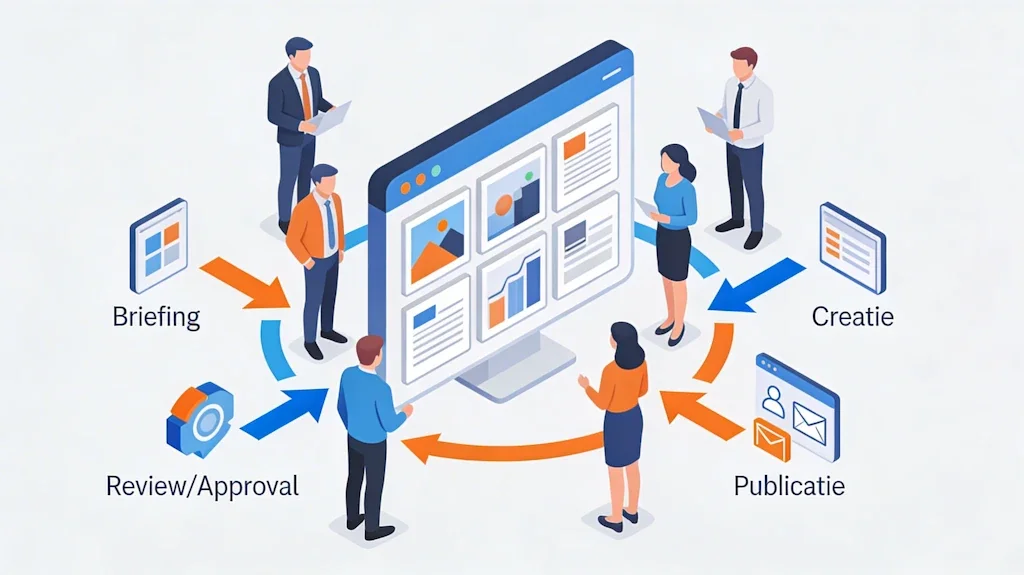
Recognizable bottlenecks with existing customers
Approvals are still done via email instead of through your DAM workflow.
No one has a real-time overview: where are assets tied up, who should take the next step?
There are many variants of assets in circulation, which leads to errors and inconsistencies.
It is precisely these frictions that prolong lead times and increase risks. By redesigning existing DAM functions or simply using them more effectively, you can remove the brakes on your process.
Accelerate with smart workflows in your existing DAM
Your current DAM can often do more than you use it for on a daily basis. By configuring workflows more intelligently, you can significantly speed up content delivery without additional people or tools.
Standardized workflows
Define a single, clear flow from briefing to publication: who initiates the request, who creates, who reviews, who gives final approval? Link these steps to statuses and tasks in your DAM. This way, you can replace individual emails with a predictable process in which everyone can see what's on their plate for the day.
Task routing and roles
Let the system automatically assign tasks based on campaign, brand, market, or channel. Designers, copywriters, brand managers, and legal professionals only see the items that are relevant to their role. This saves time searching and prevents assets from falling between the cracks.
Notifications and monitoring of turnaround time
Use smart notifications and reminders to get approvals on time. Instead of manually chasing them up, your DAM will flag up where things are stuck. Based on this, you can make clear agreements about response times and priorities.
Templates and reusable steps
Record proven workflows as templates for campaigns, product launches, or always-on social media. That way, you don't have to reinvent the process for every new action, but can always start from a proven best practice.
Integrations: achieve more with the same assets
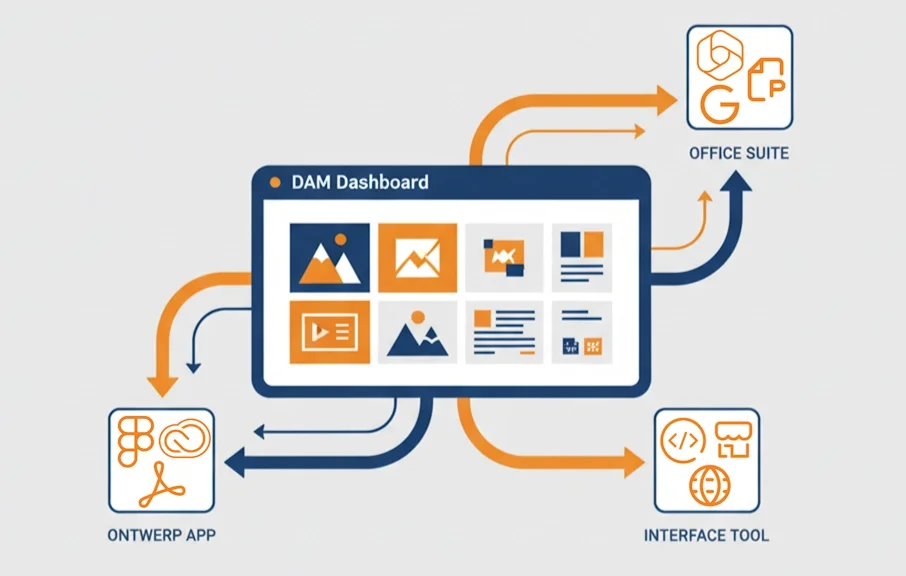
The real acceleration comes when DAM is not a standalone solution, but lies at the heart of your marketing stack. Without replacing your platform, you can make it work much better with the tools your team already uses.
Connecting creative tools to your DAM
Connect your DAM to creative tools such as Adobe or Figma. Creatives can then save and retrieve assets from the DAM directly from their design environment. New versions are automatically registered and linked, eliminating files on disks and in email attachments.
Integration with CMS, PIM, and e-commerce
Connect your DAM to the systems where your content is ultimately published, such as CMS, PIM, or e-commerce platforms. Instead of downloading and re-uploading, you can directly select approved assets from your DAM, including metadata. This makes "create once, publish everywhere" a daily practice.
Collaboration tools and project management
Synchronize tasks and statuses in Asana, Jira, Teams, Slack, and other platforms with your DAM workflow. An asset that moves to "Approved" in your DAM can automatically complete a task or send a message to the relevant team. This keeps everyone informed without any extra manual work.
Start small, get quick results
Optimizing workflows doesn't have to be a major IT project. Start with one clearly defined area where the pressure is high and the impact is significant.
Approach for existing customers
Select one priority workflow, such as social content or campaign visuals.
Work with your team to map out the current steps and translate them into a standardized process in your DAM.
Activate one integration that currently requires the most manual actions, for example, DAM → CMS for hero images, or DAM → creation tools for layout and version management, or DAM → PIM for direct linking of product data and images.
Measure turnaround time, number of revisions, and manual steps, and scale up as soon as you see the difference.
The next step with Comrads
You have already invested in a DAM. The biggest acceleration now lies in how you use the system. With a few targeted workflow adjustments and smart integrations, you can significantly speed up your content delivery without additional tools or larger teams. Comrads helps existing customers with a targeted workflow scan of their current DAM environment: where are the hidden delays, which features are you not yet using, and which integration delivers the fastest return on investment?
Schedule a workflow scan
Want to learn more about the possibilities in your existing DAM environment? Contact Comrads for a conversation about workflows, automation, and integrations that suit your team and tech stack.
More about DAM integrations
Curious about how DAM integrations work in practice and which connections Comrads supports? Read more on our page about DAM integrations.